Geo-Grid Rank Tracking Explained
How geo-grid rank tracking shows where your Google Business Profile ranks street by street, what the main tools charge, and how to read a grid line by line.
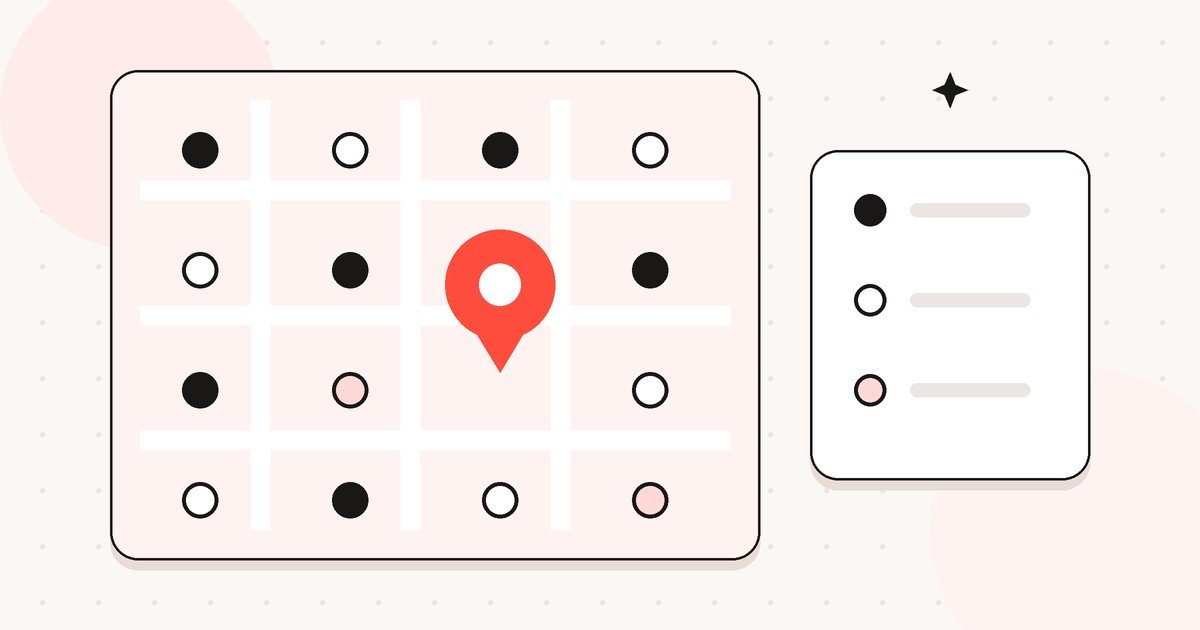
Geo-grid rank tracking checks where your Google Business Profile ranks for one search from many points around your business, then shows the result as coloured dots on a map. It exists because local rankings change with the searcher's location, so a single rank check from your office tells you very little.
This page explains what a grid shows, why your rank moves from street to street, which tools do it and what they cost, and how to read a grid without fooling yourself. It uses the same example grid as the Local SEO guide, read line by line.
What does a geo-grid show?
Your position in the map results for one search, at every point of a grid around your business, at the moment of the scan.
25 points, about 1 km apart, so the grid covers roughly 4 km by 4 km. Each number is the clinic's position in the map results when the search runs from that point. The ringed dot is the clinic.
A scan shows rank only, for one search. It doesn't show calls or clicks, and a clinic can be first for "dentist near me" and tenth for "root canal" from the same spot, so each main search needs its own grid.
Why do rankings change street by street?
Because distance is one of Google's three local ranking groups, and it is measured from the person searching.
Google says local results are based mainly on relevance, distance and prominence, and that distance refers to how far each business is from the customer who's searching. Move the searcher 2 km and the set of nearby competitors changes. A clinic that is closest to one block may be the fourth-closest a few streets east, where three other dentists sit.
Relevance and prominence then decide how far your strong area stretches. The ranking factors guide covers what feeds each group.
A wide service area on your profile doesn't make you rank across all of it. You still rank best near your real base, and a grid will show you exactly where that strength fades.
A grid point is a simulated search from a coordinate. A real customer's results can differ a little, so compare your grids with each other over time, and avoid comparing a grid with one search on your own phone.
Which geo-grid tools are there, and what do they cost?
Local Falcon, BrightLocal, Semrush and Whitespark all do it. Most charge in credits, where one grid point costs one credit.
Credits make the maths simple. A 5×5 scan costs 25 credits in Local Falcon, Semrush and Whitespark. So Local Falcon's 7,500 Starter credits cover 300 such scans a month, Whitespark's $10 tier covers 80, and Semrush Local Base's 375 credits cover 15 per location. A 7×7 grid costs 49 credits, nearly twice as much, and a 21×21 grid in Local Falcon costs 441.
One business tracking four searches monthly on a 5×5 grid needs 100 credits a month, which any entry plan covers.
The free route
Local Falcon's 100 free credits cover four 5×5 scans, enough to grid your main search once. Searching from your phone at a few real spots around town and noting your position is rougher, but it costs nothing.
A note on tools: I co-founded wptaskify, so weigh this with that in mind. If your Business Profile is connected to it, Claude or ChatGPT can pull the profile's performance numbers next to your grid results each month. Your Business Profile's own performance report shows those numbers for free, and a spreadsheet works just as well.
How do you read a geo-grid?
Start at the business and work outward: find where the green stops, then look at which competitors take those points.
Read that way, the example says three things. The clinic owns its own neighbourhood. Its strength runs west and north further than east. And the south edge is a different market, where it never reaches the top 3. A tool that lets you click a point shows who ranks there instead. If the same two clinics hold the south and east, look at their categories, review counts and pages, because that gap is the one to close.
The numbers under the grid
Tools sum each grid up in a few numbers. They are calculated differently, so only compare a number with the same number from the same tool.
| Metric | What it means | Example grid |
|---|---|---|
| Average position | Your rank at each point, added up and divided by the number of points | 93 / 25 = 3.72 |
| Share of top 3 | The share of points where you rank 1 to 3. Local Falcon calls its version SoLV, share of local voice | 15 / 25 = 60% |
| ARP and ATRP (Local Falcon) | ARP averages only the points where you are in the top 20. ATRP averages every point, including those outside it | Equal here, since every point is in the top 20 |
| Average rank (Semrush) | Counts 21 for any point where you rank below 20 | 3.72, for the same reason |
A few habits keep grids honest:
- Keep the centre, grid size, spacing and search term the same every month. Change one and the grids stop being comparable.
- Scan at a similar time of day. Being open at the time of search came fifth in the expert survey behind the ranking factors guide, so an evening scan for a clinic that closes at 7 pm may look worse than a morning one.
- Pair the grid with calls and direction requests from the profile. A greener grid that brings no extra calls isn't a win. The local SEO guide explains the performance report and UTM tags.
If your weak side is where you want customers, the fixes are the usual ones: a page about the services you sell there, reviews from customers in that area, and local mentions. For service businesses the service area pages guide shows how to write area pages that help, and consistent listings from the local citations list support prominence. Clinics and agents have their own versions in local SEO for doctors and local SEO for real estate agents.
Questions people ask
What is a geo-grid in local SEO?
A geo-grid is a set of points laid over a map around your business. A tool runs the same search from each point and records where your Business Profile ranks there, so you see your local ranking across an area instead of from one spot.
Is there a free geo-grid rank checker?
Not a fully free one among the main tools. Local Falcon gives 100 free credits on a new account, Whitespark 200 trial credits, BrightLocal a 14-day trial and Semrush a 7-day trial. 100 credits is enough for four 5×5 scans.
What grid size should I use?
Start with a 5×5 grid, which costs 25 credits per scan in credit-based tools. Set the gap so the grid covers the area your customers come from: tighter in a dense city, wider for a business people drive to.
How often should I run a geo-grid scan?
Once a month for each of your three or four main searches is enough for most businesses. Run an extra scan before and after a big change, such as a new category or a new service page, so you can compare.
Why does my rank differ from what the grid shows?
Your own phone search runs from a different spot from the grid points and can be shaped by your search history. Treat the grid as a consistent sample you repeat each month, and compare grids with each other.
Related
Sources
- Google Business Profile Help: tips to improve your local ranking (relevance, distance, prominence)
- Local Falcon: pricing and what a credit is (checked 20 October 2026)
- Local Falcon knowledge base: ARP and ATRP
- Local Falcon knowledge base: how to read a scan report
- BrightLocal: pricing (checked 20 October 2026)
- BrightLocal: Local Search Grid
- Semrush: Local toolkit pricing and plans (checked 20 October 2026)
- Semrush: Map Rank Tracker
- Whitespark: Local Ranking Grids pricing (checked 20 October 2026)
Read next
Our wptaskify team takes repeat work off your hands with AI and helps more customers find you on Google, Maps and in AI answers.